
Samsung appears ready to add a native app lock to One UI 9.5 for Galaxy phones and tablets. Tipster Fahad Ali Javed found the feature inside One UI 9.5 firmware running on a Galaxy S26, according to SamMobile’s report. The tool could give Galaxy users a faster way to protect individual apps without creating duplicate copies in Secure Folder.
What Happened and Why It Matters
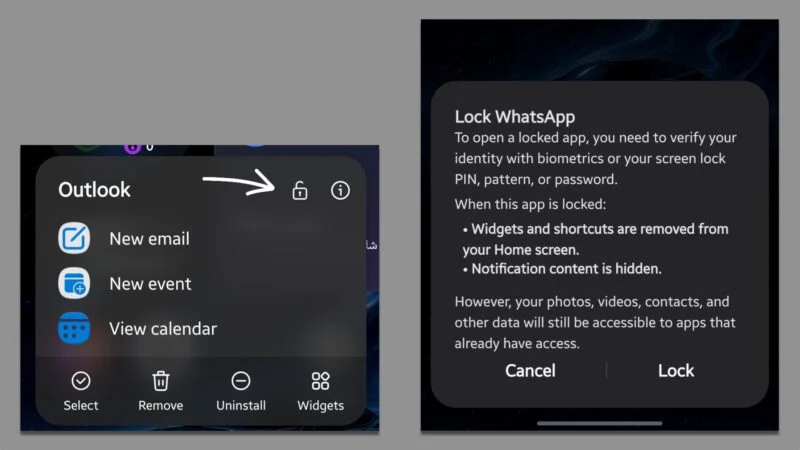
One UI 9.5 appears to let you lock an app directly from the home screen or app drawer. You press and hold an app icon, then tap the padlock button shown in the shortcut menu.
SamMobile says the feature uses your phone’s existing screen lock method. You would unlock a protected app with your fingerprint, face scan, PIN, password, or pattern.
The feature matters because Samsung’s current Secure Folder approach creates a separate app copy. Samsung’s official Secure Folder guide confirms that adding an app creates another copy inside the protected space.
That setup works for private files and separate accounts. It feels awkward when you only want to protect the original Gallery, Messages, banking, or social media app.
Background and Context
Samsung Galaxy phones have offered Secure Folder for years, but they lack a direct lock for regular apps. Samsung’s support documentation describes Secure Folder as a separate protected space for apps, files, and personal data.
The difference matters in daily use. Secure Folder can create a second app instance, which may require another sign-in and separate setup.
SamMobile says users expected a simple App Lock feature with One UI 7.0 and One UI 9.0. Samsung shipped neither version with the tool.
Google also appears to be developing an Android app lock feature. Android Authority linked Samsung’s leaked tool with app lock functionality found in Android Canary 2608.
That connection could explain why Samsung’s feature appeared now. Samsung may use Android’s framework instead of building a completely separate system.
You can read SammyGuru’s coverage of Samsung’s One UI 9.5 testing on Galaxy S26 for the wider software timeline.
Key Details About Samsung’s App Lock
The leaked feature appears to protect apps from the standard launcher interface. The screenshot reviewed by Android Authority shows several limits that Galaxy users should understand.
- Locked apps can require biometric authentication or the device’s screen lock before opening.
- Widgets and shortcuts from locked apps disappear from the home screen.
- Notifications from locked apps hide their content.
- Apps that already have permission to access protected content may retain that access.
The final point deserves attention. App Lock may stop someone from opening WhatsApp or Gallery directly, but it may not block every app with existing access.
Could a photo editor with Gallery permission still read protected images? The leaked screen indicates that possibility, so App Lock should not replace permission reviews.
The feature also appears to work from the app drawer. That makes it more convenient than moving an app into Secure Folder and managing a second copy.
What’s Confirmed and What’s Still Unclear About One UI 9.5 App Lock
Confirmed: Fahad Ali Javed found App Lock inside One UI 9.5 firmware on a Galaxy S26, according to SamMobile. The leaked interface shows a padlock control that appears after pressing an app icon.
Still Unclear: Samsung has not announced the feature or confirmed its final design. The company could remove App Lock before the public release, limit it to certain devices, or change its launcher behavior.
What It Means: Treat the feature as an active development discovery, not a guaranteed One UI 9.5 benefit. Your current Galaxy phone will not gain App Lock until Samsung publishes a compatible update.
Confirmed: Android Authority says locked apps can hide widgets, shortcuts, and notification content. Its report also says users can unlock the apps with biometrics or their screen lock.
Still Unclear: The leak does not explain every permission edge case. It does not confirm whether locked apps will hide recent-task previews, share-sheet entries, or notification badges.
What It Means: App Lock could protect casual privacy around an unlocked phone. It may not provide full data isolation for apps with broad permissions.
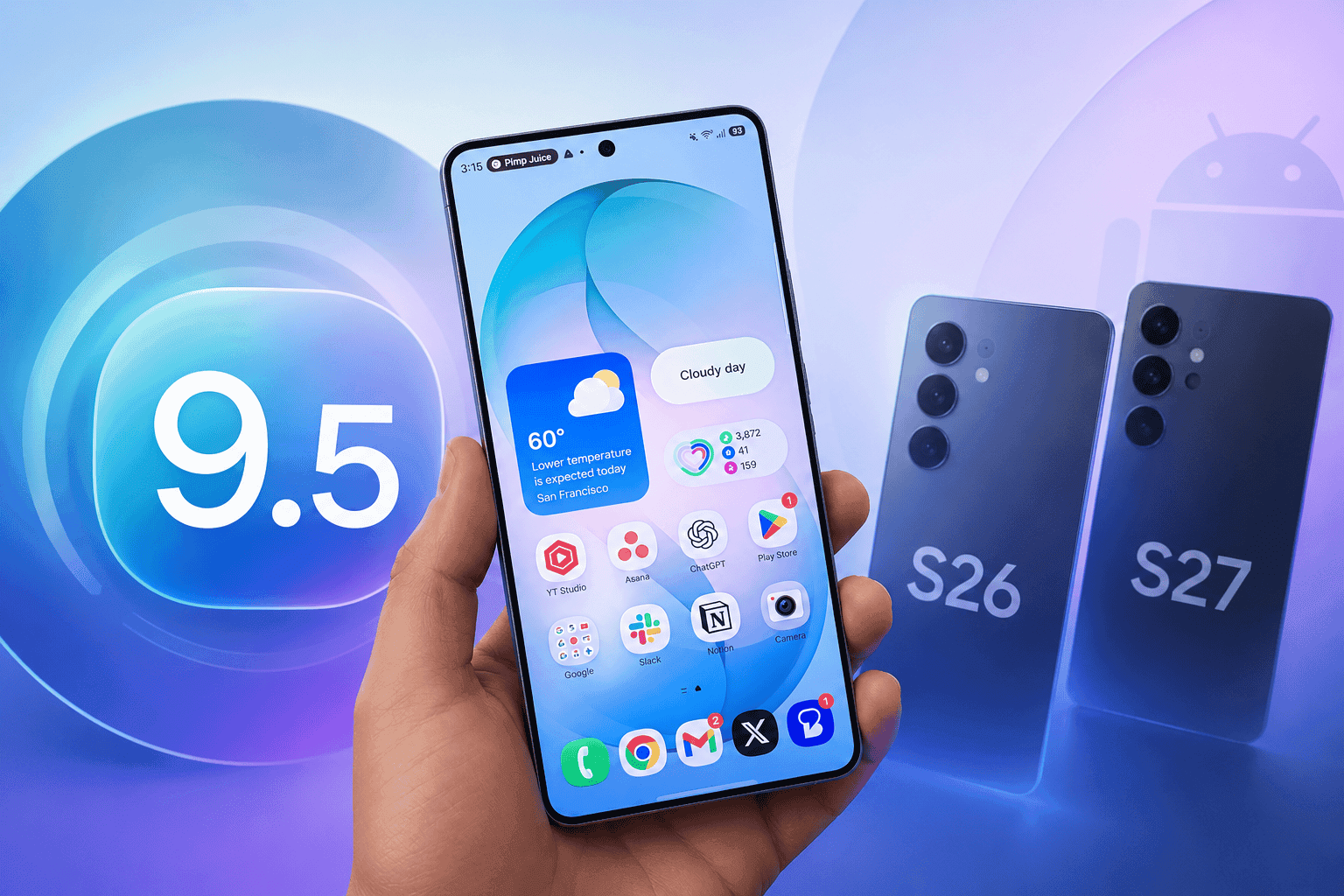
Confirmed: SamMobile expects One UI 9.5 to debut with the Galaxy S27 series. The software should use Android 17 as its foundation.
Still Unclear: Samsung has not published a rollout schedule or eligible-device list for One UI 9.5. Older Galaxy models may receive the update at different times, or miss the feature entirely.
What It Means: Galaxy S27 buyers will likely see the feature first. Galaxy S26, Galaxy Z Flip 8, and Galaxy Z Fold 8 owners may need to wait for Samsung’s rollout plans.
What This Means for You
One UI 9.5 App Lock could make Galaxy privacy much simpler for shared-device situations. You could hand someone your unlocked phone without exposing private chats, photos, or banking apps.
The feature may also help parents protect specific apps without hiding an entire phone behind parental controls. Work users could lock email, payment, and authentication apps during quick handoffs.
You should not treat the tool as a replacement for Secure Folder. Secure Folder remains the better option for storing private files, separate app accounts, and data that needs stronger separation.
For now, review app permissions and use Secure Folder for sensitive information. SammyGuru’s guide to Secret Mode in Samsung Browser also covers a separate privacy feature available today.
Frequently Asked Questions About One UI 9.5 App Lock
Q: Will One UI 9.5 add App Lock to Samsung Galaxy phones?
A: Samsung appears to be developing App Lock for One UI 9.5. SamMobile based its report on One UI 9.5 firmware found on a Galaxy S26. Samsung has not confirmed the feature publicly.
Q: How will Samsung’s One UI 9.5 App Lock work?
A: You may press and hold an app icon, then tap a padlock button. The locked app should require your phone’s biometric or screen lock authentication.
Q: Is One UI 9.5 App Lock the same as Secure Folder?
A: No. App Lock appears to protect the original app from the launcher. Secure Folder creates a separate protected app copy inside an encrypted space.
Q: Which Galaxy phones will receive App Lock?
A: Samsung has not confirmed eligibility. SamMobile expects One UI 9.5 to launch with the Galaxy S27 series before reaching selected older Galaxy devices.
Q: Can App Lock hide notifications?
A: The leaked interface shows that App Lock can hide notification content from protected apps. Samsung has not confirmed whether every notification type will follow that rule.
What to Watch Before One UI 9.5 Arrives
Samsung needs to confirm the feature, its supported devices, and its permission behavior before Galaxy owners can rely on it. Watch for official One UI 9.5 beta notes, Galaxy S27 launch details, and firmware builds that show the final App Lock design.
Until then, keep using Secure Folder for stronger privacy and review which apps can access your photos, contacts, and files. Does Samsung’s leaked App Lock solve the privacy problem you have faced on your Galaxy phone? Share your take in the comments.





Responses (0 )